

One rental, start to finish.
From someone picking their dates to the money landing in your bank. Six steps, and every screen further down is the real product — nothing here is drawn.
- Booking comes inStep 1
- Today's listStep 2
- Keys go outStep 3
- Car is on rentStep 4
- Car comes backStep 5
- You get paidStep 6
- Step 1 of 6
A booking comes in with the car already held.
Someone picks their dates on your website and sees the price for those dates — not a rate card they have to work out for themselves.
The request lands in your queue holding the car, so nobody else can be promised it while you think. Say yes, say no, or let the cars you are relaxed about book themselves.
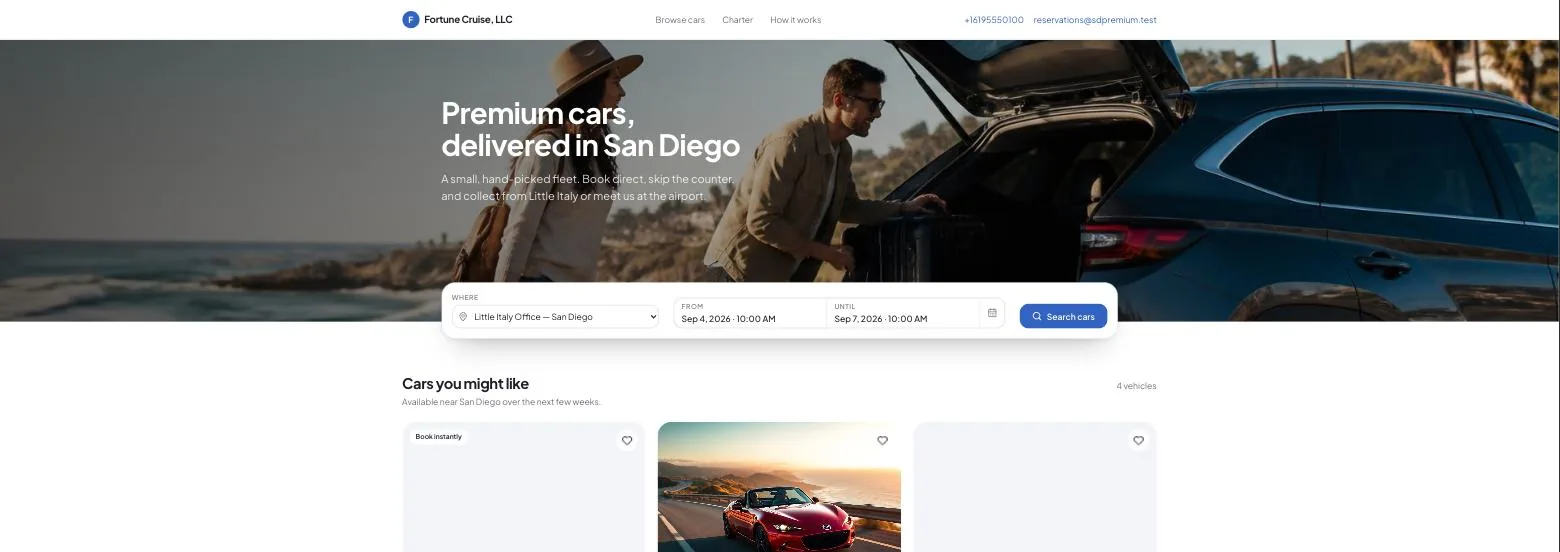
Your booking page, on your own web address. - Step 2 of 6
One screen tells you what today needs.
Which cars are being turned around and what is still to do on each. Which rentals start this week and what is not ready.
It works this out fresh every time you open it. So it never nags you about something you sorted last Tuesday, and there is no list for anyone to tidy up.
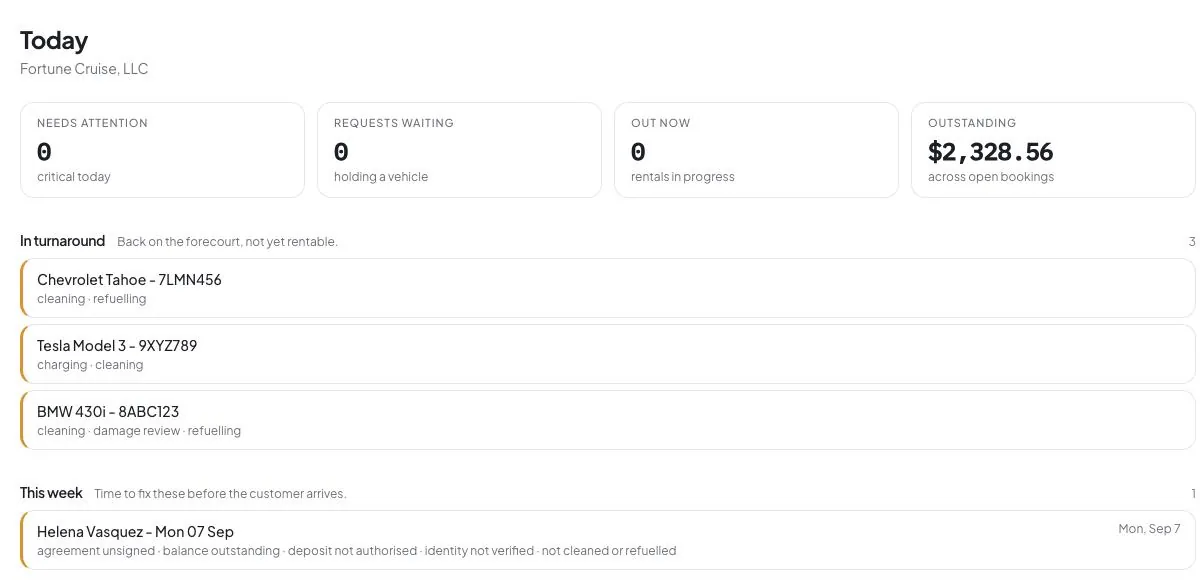
Three cars in turnaround, each showing the work still left on it. - Step 3 of 6
The car does not go out until it is ready.
Before the keys move, Zuleke checks the five things that get forgotten on a busy Friday: agreement signed, balance paid, deposit held, license checked, car cleaned and fueled. Each one tells you what is missing by name.
You can still hand it over. You will just know exactly what you waived. Then photos round the car, the mileage, the fuel — one button and it is on rent.
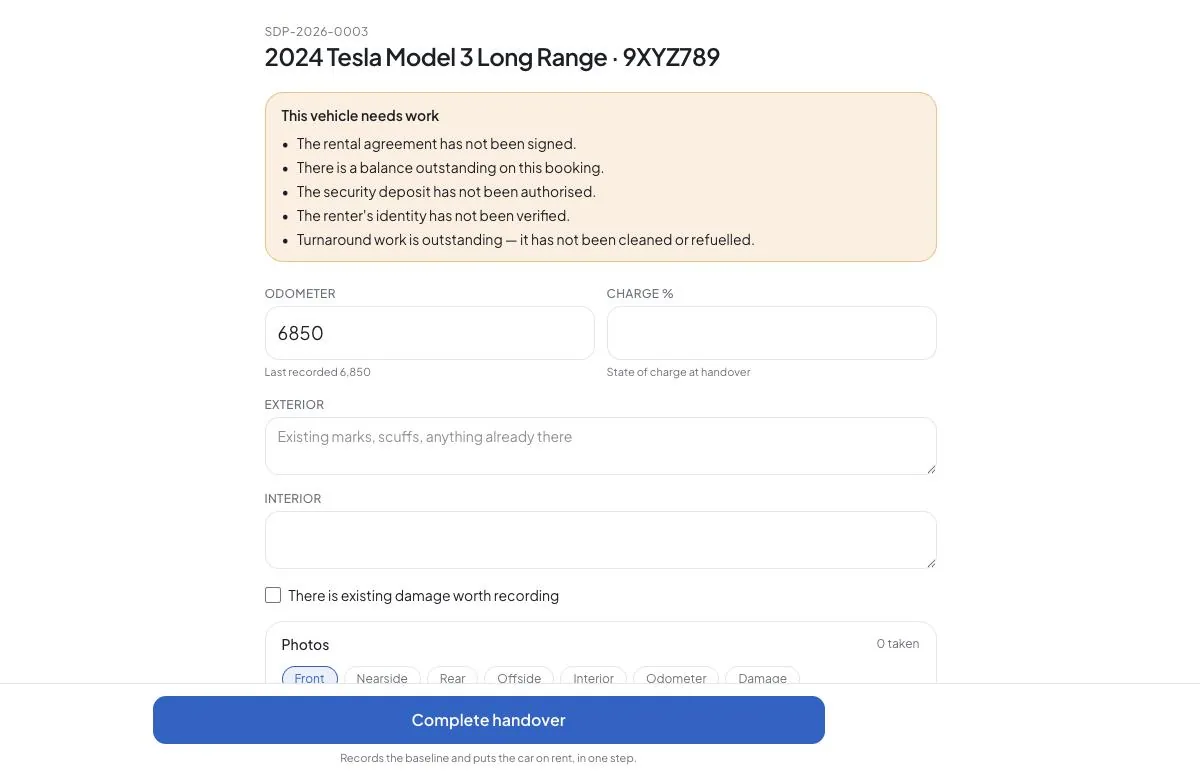
Five reasons this car is not ready to go, each one named. - Step 4 of 6
Extras go on the bill as they happen.
Delivery, a child seat, tolls, a parking ticket, extra miles. Every line shows how many, at what price, and what that comes to.
The tax updates itself. Nobody types a total anywhere, so when a renter queries the bill you can walk them down it line by line.
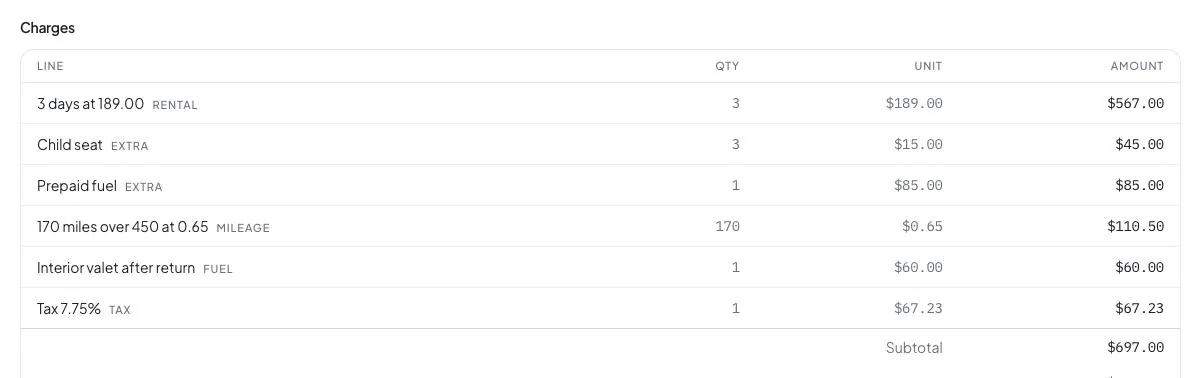
The total is the sum of the lines. There is no box to type a different one into. - Step 5 of 6
It comes back, and you have proof either way.
A second walk round, side by side with the first. Miles over the allowance work themselves out from the two odometer readings, so there is nothing to argue about.
If it comes back damaged, one button builds the PDF your insurer wants: the car and its VIN, both inspections, the notes, and the photos before and after. Where something was not recorded, it says so rather than leaving a tidy blank.
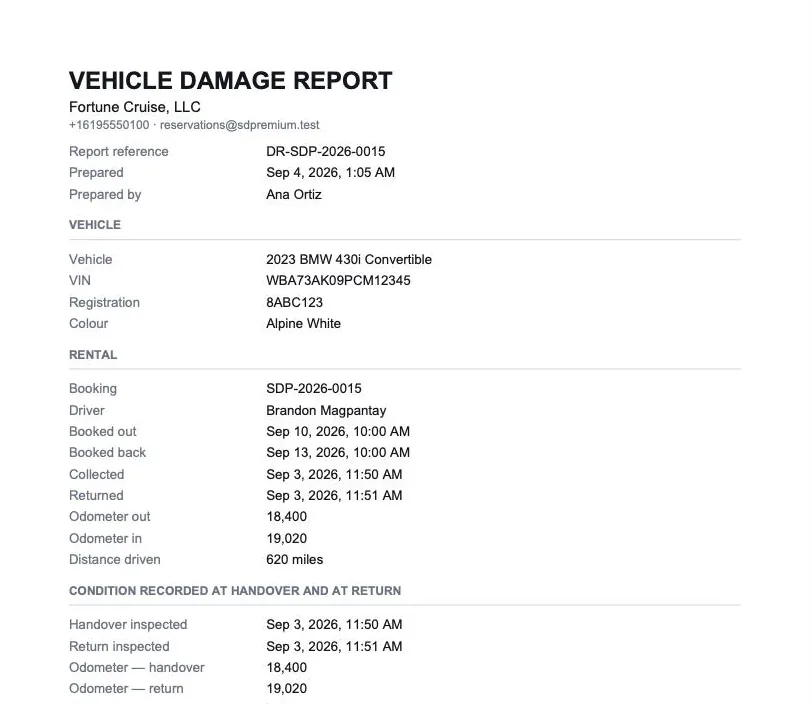
Built from the two inspections. Ready to send to an assessor. - Step 6 of 6
You get paid, and you can see it car by car.
The balance goes to the card on file, or you send the renter a link. Either way it lands in your own Stripe account.
Then it turns up per car: booked, taken, still owed, spent, and what is left. Over a month, a quarter or a year.
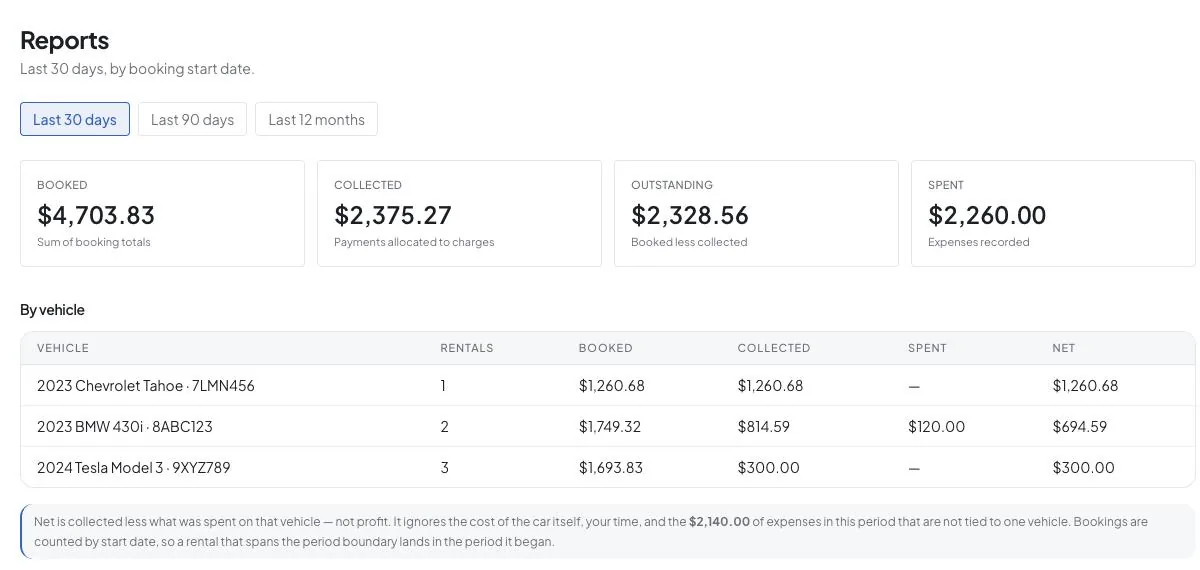
Per car, counted from the day the rental starts.
Three things it will not let happen
Most software is sold on what it lets you do. These are the parts that hold when the day is busy and somebody is in a hurry.
Nobody types over a total
Every total adds itself up from its own lines. There is no total box anywhere in the product — not for you, not for whoever is covering the desk on Saturday.
No car slips out quietly
Unsigned agreement, unpaid balance, no deposit, unchecked license, unfinished clean. You can override any of them. You cannot fail to see them.
No gap gets papered over
If a photo or a reading is missing, the damage report says so. A gap an assessor can see is worth more than a neat document nobody stands behind.
Run your next rental this way.
Add your cars, put your booking page up, and take your first booking the same afternoon.
Pay monthly, or get 2 months free when you pay for the year.
The screens on this page are the live product, photographed on a demonstration fleet. The names, cars and figures inside them are made up.